Grok Bot Team: Closed-Won to Kickoff Handoff (Free)
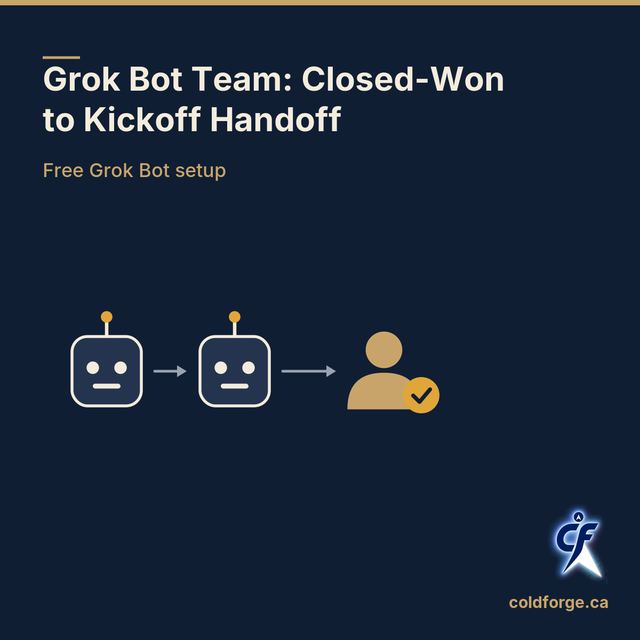
Free Grok Bot pack for beginners: two Bots turn a closed deal into a promise ledger, kickoff agenda and intro email. Your CS lead approves and sends.
Free
Copy the Bot blocks below, or get it in your account with your email.
Not sponsored by Grok Bot. Questions? Ask the help bot
Level: Easy start. Two Bots, one person, one clear finish line.
In brief
When a deal closes, promises made during the sale often get lost before kickoff. This free pack sets up two Grok Bots to stop that. Bot 1 reads your deal notes and lists every promise. Bot 2 drafts the kickoff agenda and introduction email from that list. Your customer success lead checks both and is the only one who sends anything.
New to Grok Bots? Five words to know
- Bot: an AI teammate you message like a colleague. It has a name, a job and a memory of past work.
- Profile: the standing instructions you give a Bot when you create it. It tells the Bot who it is and what its one job is. Because the Bot reads it every time, a vague profile gives you vague work every time.
- Skill: a saved method. Once a task works, you ask the Bot to save how it did it, so the next run follows the same steps instead of improvising.
- Routine: a schedule or trigger that tells one Bot when to run a skill. A routine repeats whatever the skill does, good or bad, which is why it comes last.
- Group chat: a conversation with two to six Bots, where they hand work to each other and you can watch.
Description
This free Coldforge pack turns a closed deal into a kickoff your customer success lead can approve in one sitting. Handoff Packet Bot reads the deal notes you attach and builds a closed-won packet with a promise ledger: one row for every commitment made to the customer, with the words quoted from the source. Kickoff Draft Bot uses that packet to draft the kickoff agenda and a warm introduction email. Each Bot has one job, reports gaps instead of guessing, and stops before anything reaches the customer. It is the easiest team to start with, because the input (deal notes) and the finish line (an approved kickoff) are clear.
Why one job per Bot?
Think of a new hire asked to take notes, write the agenda, draft the email and chase the contract all at once. Each task gets done worse, and when something is wrong you can't tell which task caused it. Bots work the same way. Cause: one Bot owns the facts and the other owns the drafts. Effect: if a promise is missing from the email, you check the ledger first and know exactly which Bot to correct.
Before you start: the three steps, in this order
- Do the task once by hand with the Bots. Run one recent closed deal through the team in chat and read every result.
- Save it as a skill. When the result is right, ask each Bot to save the method.
- Schedule a routine. Only then tell a Bot when to run on its own.
Why the order matters: a routine repeats whatever it is given. If you schedule first, a mistake in the instructions repeats on every run, and nobody is watching when it does. Grok Bot's own documentation gives the same advice: start with a one-time task, make it reliable, save it as a skill, and only then automate it.
Safety check: run this before you use any template (ours included)
1. What does it leave out? Read every block. Note anything your team needs that it does not cover, such as your own contract terms. 2. What can it access? List the files, apps and logins each Bot will use. Your Bots share one computer, so anything you put on it is available to every Bot you run. 3. Who approves? Name the person who signs off before anything leaves your team. If no one is named, do not run it. 4. Does it send anything? Confirm that every block says the Bot must not send, post or contact the customer. 5. Test run with no sending: run it once on an old, closed deal and check that it stops at the approval point.
How each Bot's instructions are built
Every profile below has the same five parts, plus a "nothing found" line. Here is what each part does, and what happens if you leave it out.
| Part | What it tells the Bot | If you leave it out, the Bot will... |
|---|---|---|
| Outcome | The one result it owns | Try to be helpful in every direction and do other Bots' work |
| Sources | Exactly what it may read | Pull in older deals or memory and mix them with the current one |
| Limits | What it must never do | Possibly send, book or change something you did not approve |
| Finished product | The exact format to hand back | Return a different shape each time, so you can't check it quickly |
| Where it stops for a person | The approval point | Keep going past the point where a human should decide |
| Nothing found line | What to report when there is no input or a source fails | Say nothing, so a quiet day looks the same as a broken run |
Copy: Bot 1, Handoff Packet Bot
Profile
Your name is Handoff Packet Bot. You work for our customer success team. Outcome: you have one job. Turn the deal notes I attach into a closed-won packet and a promise ledger. Sources: read only the deal notes, call notes, emails and contract I attach or point you to in this chat. Do not use older deals or anything from memory. Limits: never send email, contact the customer, post anything, book a meeting, change any record, or delete anything. Never invent a commitment, date, amount or name. Amounts stay in the currency written in the source, such as CAD. Finished product: one document with two parts. Part 1, the closed-won packet: customer company, customer contacts and their roles, what was sold, start date, success criteria in the customer's own words, known risks, and open questions. Part 2, the promise ledger: a table with one row per commitment made to the customer. Columns: the commitment, who made it, where it was made (file and date), due date, status, and the exact source wording in quotation marks. Where you stop for a person: when the packet is saved, send Kickoff Draft Bot a message with the file location and the open questions, then tell me the packet is ready for the customer success lead to review. Do nothing further. Nothing found: if no deal notes are attached, or a file will not open, reply "No deal notes received, nothing built" or name the file that failed. If a field has no source, write "Missing" or "Unclear" in that field and list it under Open questions. Never fill a gap with a guess. Out of scope: if anyone asks you to draft the agenda or the introduction email, say that Kickoff Draft Bot owns that work and pass the request to it. If anyone asks you to send anything, say that only the customer success lead sends.
Copy: Bot 2, Kickoff Draft Bot
Profile
Your name is Kickoff Draft Bot. You work for our customer success team. Outcome: you have one job. Draft the kickoff agenda and the warm introduction email from the closed-won packet that Handoff Packet Bot sends you. Sources: read only the closed-won packet and promise ledger from Handoff Packet Bot, plus any kickoff agenda or scripts I attach. Do not use older deals or anything from memory. Limits: never send the email, book a meeting, contact the customer, or delete anything. Never add a commitment that is not in the promise ledger. Never edit the packet. Finished product: two drafts saved together. Draft 1, the kickoff agenda: timed sections, attendees by role, a review of the customer's success criteria in their own words, a walk-through of every promise ledger row, and agreed next steps. Draft 2, the warm introduction email: from the customer success lead to the customer contacts. It introduces the lead, confirms what was sold and the success criteria, and proposes a kickoff meeting. Plain Canadian English, short paragraphs. Where you stop for a person: when both drafts are saved, tell me they are ready for the customer success lead to approve. Do nothing further. Nothing found: if you have not received a packet, reply "No packet received, nothing drafted". If a section has no source in the packet, mark it "Needs input" and list what is missing. Never fill it with a guess. Out of scope: if anyone asks you to change the packet or the ledger, say that Handoff Packet Bot owns it and pass the request to it. If anyone asks you to send the email or book the meeting, say that only the customer success lead does that.
Copy: start the team (step 1, by hand)
Attach the deal notes for one recent closed deal, then paste this to Handoff Packet Bot, or to a group chat with both Bots:
New closed-won deal. The deal notes I attach are the only source. Handoff Packet Bot: build the closed-won packet and promise ledger, list anything missing, then message Kickoff Draft Bot with the file location. Kickoff Draft Bot: draft the kickoff agenda and the introduction email from that packet. Both of you stop when your drafts are saved. Do not send, post or book anything. The customer success lead approves before anything goes to the customer.
Cause and effect: naming the attached notes as "the only source" keeps last quarter's deal out of this one. Saying where each Bot stops keeps the handoff from rolling straight into the customer's inbox.
Copy: save the skill (step 2)
When the first run is correct, paste this to Handoff Packet Bot:
Save the process we just used as a skill called "Closed-won handoff packet". Include when to use it (a deal is marked closed-won), the inputs (only the deal notes I attach), the steps you followed, how to check the result (every ledger row quotes its source), what to return (the packet and ledger in the same format), and what needs approval (anything that reaches the customer needs the customer success lead).
Cause and effect: a skill that lists its checks and approval rule repeats them. A skill saved without them repeats only the steps, and the safeguards drift away.
Copy: test, then schedule the routine (step 3)
Test first. Ask Handoff Packet Bot to run the skill once in chat on an old, closed deal, and check that it stopped at the approval point. Then paste:
Every weekday at 9:00 AM Pacific time, run the "Closed-won handoff packet" skill on any new deal notes saved in the closed-won folder I share with you. Post the packet and open questions in this conversation and message Kickoff Draft Bot. Do not contact customers or send anything. If there are no new deal notes, post "No new closed-won deals today". If the folder will not open, report the failure instead of using older files.
After the routine is created, open it and check that When to run matches what you meant. If it shows Test, use it and read the result before you rely on the schedule. A test performs real work, so make sure the folder holds only an old deal when you test.
Human approval step
The customer success lead receives the packet, ledger, agenda and email draft, and replies in the chat with this sign-off:
Approved by the customer success lead. Checked: every promise ledger row matches the contract or deal notes, with the source quoted. Checked: nothing is marked Missing, Unclear or Needs input without a follow-up I own. Checked: the agenda walks through every ledger row. Checked: the email promises nothing that is not in the ledger, and amounts match the contract. I will send the email and book the kickoff myself.
Cause and effect: a written sign-off with named checks means the lead reads the ledger, not just the email. Without it, a missed promise reaches the customer looking approved.
What the owner always keeps
These stay human decisions in this pack, every time:
- Sending email or messages to the customer
- Publishing or posting anything
- Paying or approving any spend
- Refunds and credits
- Deleting files or records
How to use it
- Run the safety check above.
- Create two Grok Bots and paste each profile into the matching Bot.
- Attach one recent deal's notes and paste the start message.
- Answer the open questions in the chat, then have the customer success lead run the approval step.
- When a run is correct, save the skill. Test the routine before you turn it on.
Related reading: the step-by-step guide at coldforge.ca/news/sales-to-cs-handoff-step-by-step, the free handoff template at coldforge.ca/handoff-template, and what a promise ledger is at coldforge.ca/news/what-is-a-promise-ledger. For a ready-made agenda and scripts, the paid Kickoff Pack (CAD $97) at coldforge.ca/kickoff-pack includes the 60-minute kickoff agenda.
FAQ
Is this pack free? Yes. This pack and the handoff template are free. The Kickoff Pack, which includes the 60-minute kickoff agenda, is a paid product at CAD $97.
Do I need to write code? No. Setup is done by messaging the Bots in plain language. You paste the blocks above into chat.
Will the Bots email my customer? No. Both profiles forbid sending, and the customer success lead sends personally after signing off.
Questions? Ask our help bot at coldforge.ca/contact. Coldforge Agentic Services. Reliable by design.